Getting started
Setting up your scheme takes a few minutes. You create an account, then a short four-step wizard captures your building, your lot, how the scheme is managed, and your role. Nothing is charged — every new scheme starts on a free 30-day trial with no credit card.
Create your account
Head to Sign up and enter your name, email, and a password. A mobile number is optional, and you can opt in to occasional product updates (you can change this any time in your profile).
We email you a confirmation link — click it to verify your address and continue to setup. If it doesn't arrive, check your spam folder or use Resend on the verification screen.
Set up your scheme
After confirming your email you land in the setup wizard. It has four steps, and a progress label (“Step 1 of 4”) keeps you oriented. You can go Back at any point without losing what you've entered, and — importantly — nothing is created until the final step, so leaving part-way through never leaves a half-made scheme.
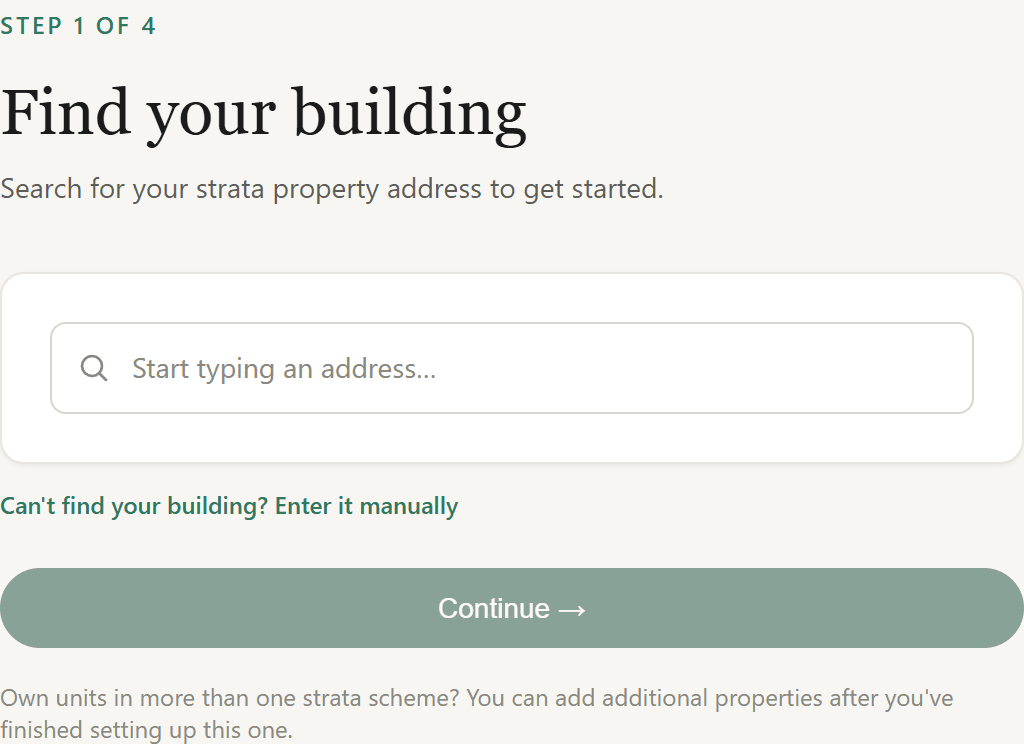
Step 1 — Find your building
Start typing your strata property's address and pick it from the suggestions. One building maps to one scheme: if your building is already on StrataSphera, you'll join the existing scheme rather than create a duplicate (see Joining an existing scheme). Can't find it — a new development, or an unusual address? Choose Enter it manually and type the address, suburb, state, and postcode.
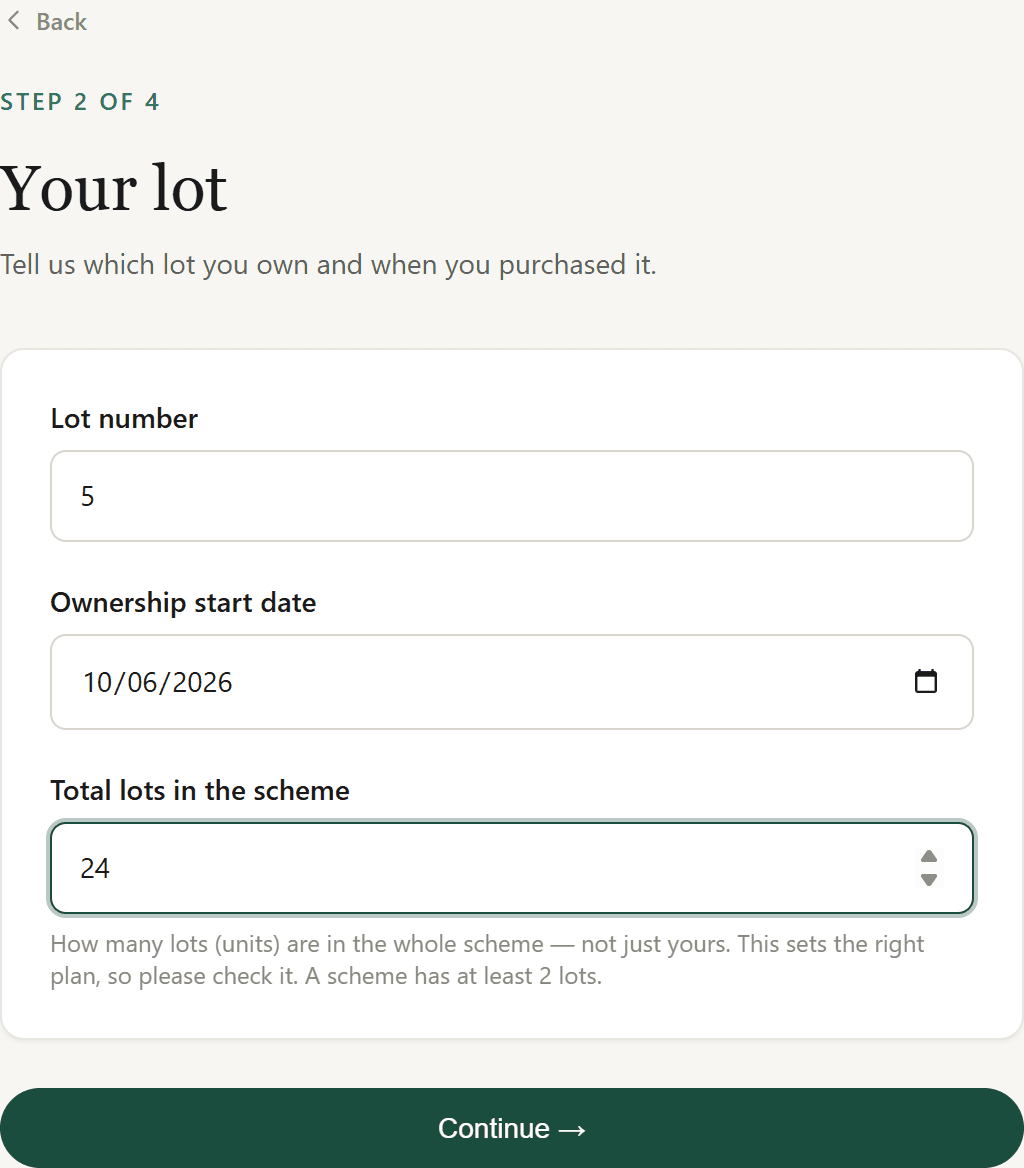
Step 2 — Your lot
Tell us which lot you own, the date your ownership started, and the total number of lots in the whole scheme (not just yours). The total lot count sets the right pricing tier, so it's worth getting right — a scheme has at least two lots.
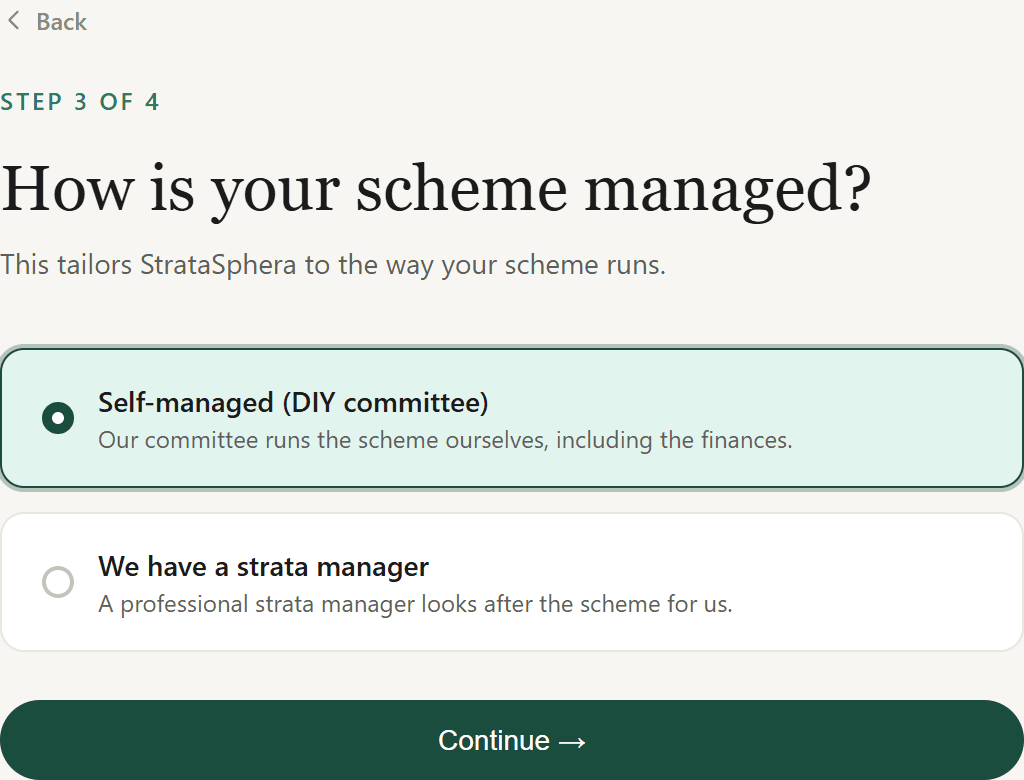
Step 3 — How your scheme is managed
Choose Self-managed if your committee runs the scheme (including the finances) yourselves, or We have a strata manager if a professional agent looks after it. If you're professionally managed you can add your manager's details now or skip and add them later in Settings.
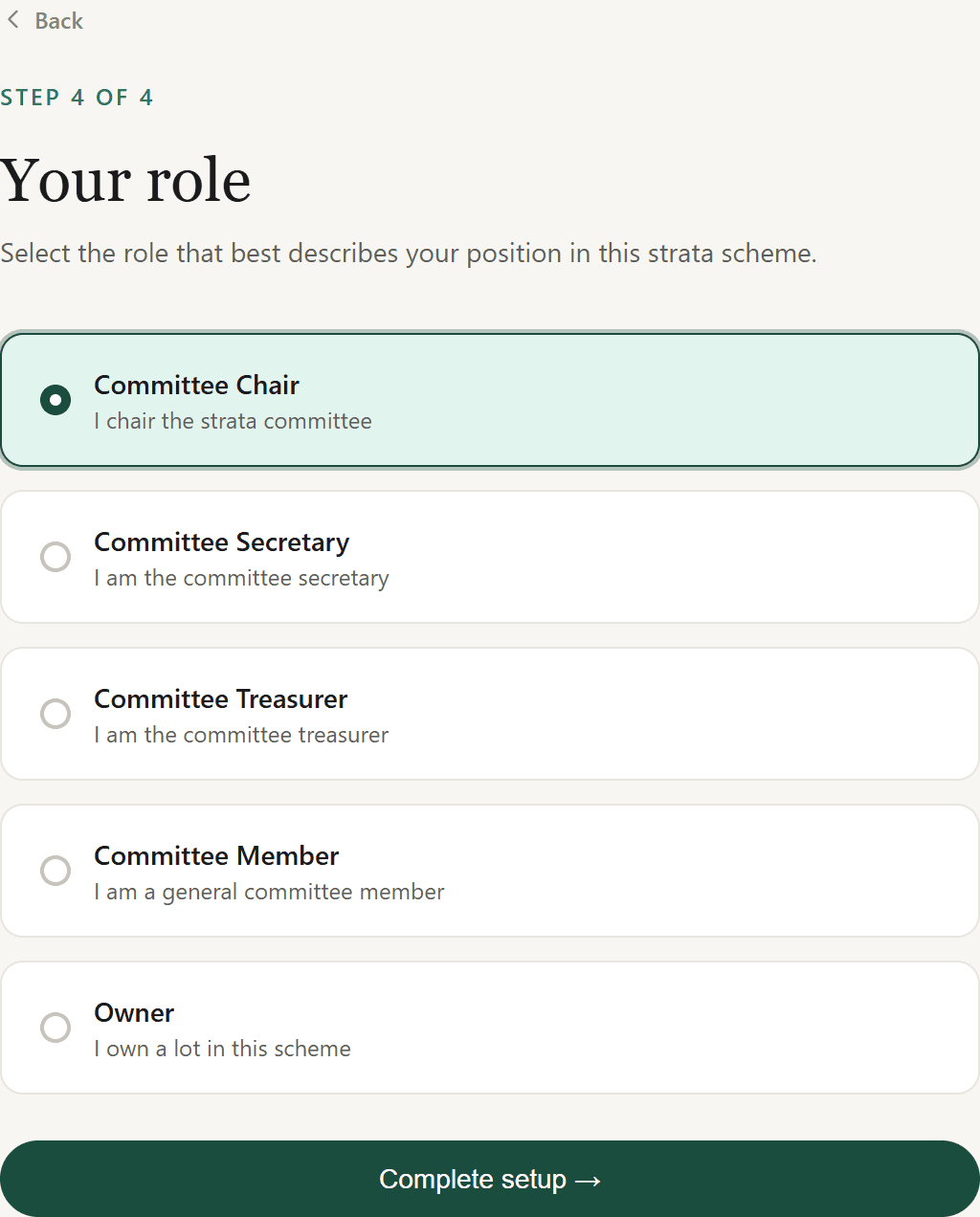
Step 4 — Your role
Pick the role that matches your position: Chair, Secretary, Treasurer, Committee member, or Owner. The chair, secretary, and treasurer roles are unique — one person each per scheme. Other members (including tenants and your strata manager) are added later by invitation from the Members page.
What happens when you finish
Selecting Complete setup creates everything in one go: your scheme and building, your lot and membership, and a 30-day trial subscription. As the first person in, you become the founding member with full committee access and the financials role, and you're taken straight to your new dashboard.
Your first dashboard
The dashboard opens on a Getting started checklist that walks you through the next steps — adding your strata plan number, inviting committee members and owners, scheduling your first meeting, and logging a maintenance matter. The overview below it summarises open maintenance and your next meeting.
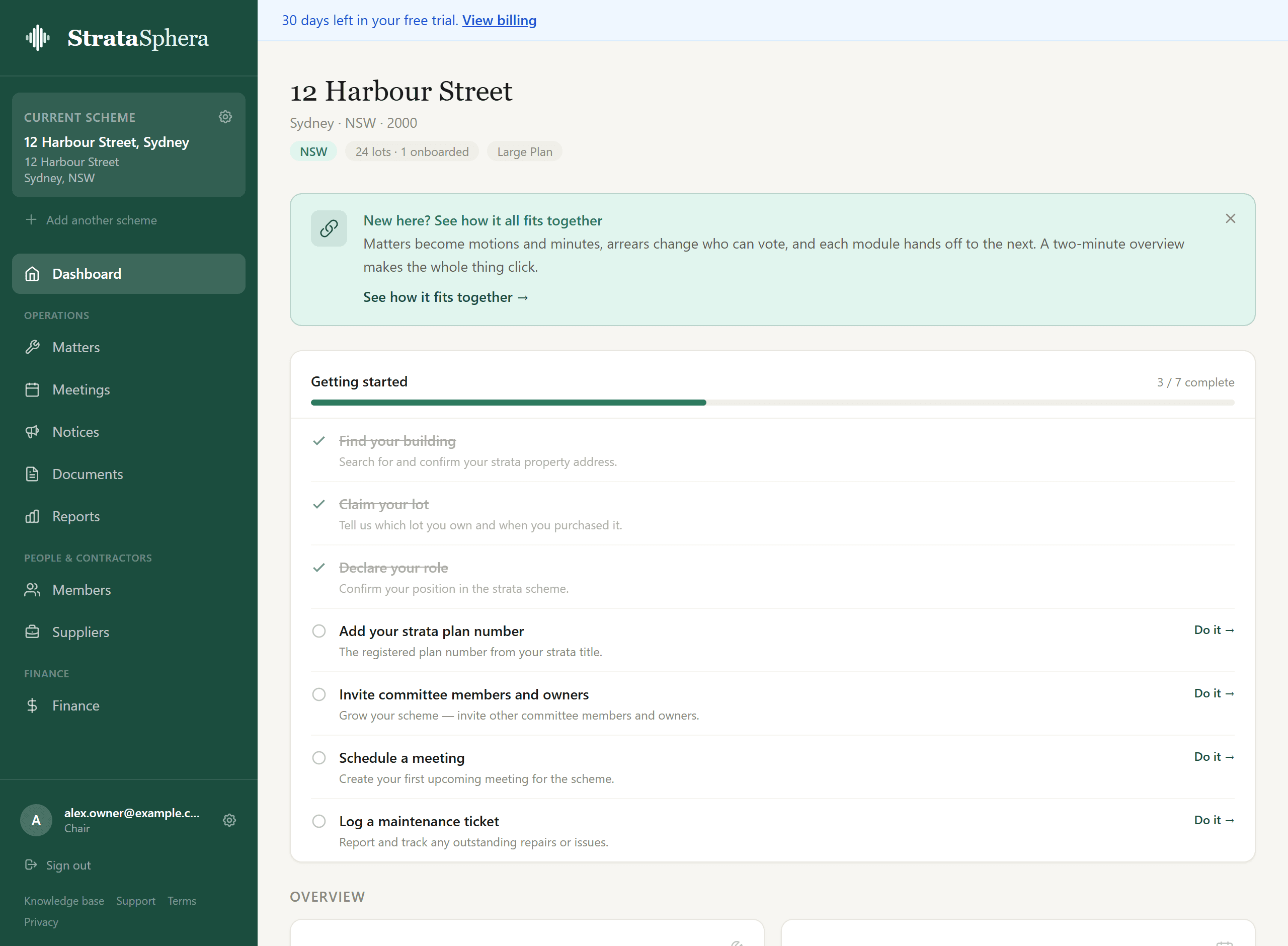
From here, the usual next steps are:
- Invite your members — committee, owners, and tenants, so everyone receives notices and can take part.
- Schedule a meeting — set up your AGM or a committee meeting and build the agenda.
- Log a matter — track maintenance, by-law, renovation, and compliance issues.
Joining an existing scheme
If your building is already set up, you don't create a new scheme — you join the existing one. The most common way is a QR code or join link shared by your committee (see Members): scanning it takes you through the same wizard, attached to that scheme. Owners who join this way start as pending approval and gain access once a committee member approves them on the Members page. You'll get an email when you're approved.
Trial and billing
Every scheme gets a 30-day free trial — no credit card to start. Billing is per scheme, and the plan is set by your scheme's lot count. When the trial ends you set up billing to keep full access; until then everything is unlocked. See Settings & billing for plans and how the trial and paywall work.
Good to know
- Building not found? Use Enter it manually on step 1 — you're never blocked by a missing autocomplete result.
- Own lots in more than one scheme? Finish setting up this one, then use Add another scheme from the dashboard sidebar to onboard the next.
- Picked the wrong total lot count? A committee member can adjust it later in Settings; it updates the pricing tier.