Matters
A matter is any issue, request, or application that needs to be tracked and acted on within a strata scheme. Matters cover everything from a leaking tap to a renovation approval request to a by-law complaint. Each matter has a type that determines its workflow.
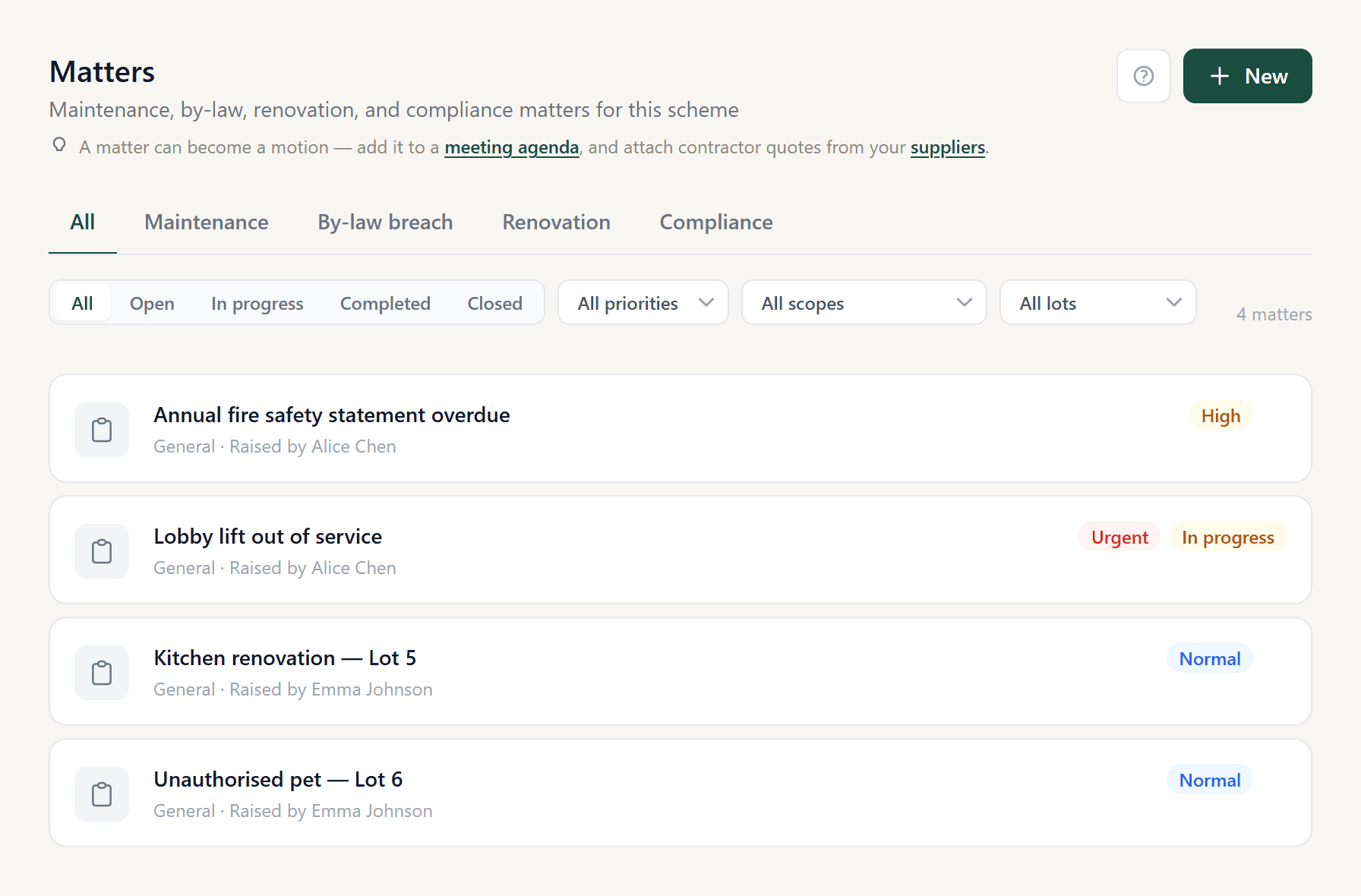
Matter types
Every matter belongs to one of four types. The type is set at creation and cannot be changed.
| Type | Use for | Who typically raises it |
|---|---|---|
maintenance | Repairs, defects, and upkeep of common property or lots | Any member or committee |
bylaw_breach | Noise, parking, pets, smoking, or other by-law complaints | Any member or committee |
renovation | Lot owner applications to carry out works requiring committee approval | Lot owner; lot is required |
compliance | Fire safety statements, WHS hazards, and safety obligations | Committee or strata manager |
Workflows
Each type maps to a workflow shape — a defined set of statuses and the transitions allowed between them. The API enforces valid transitions and returns an allowed_transitions array on every matter detail response so the UI always knows what moves are possible.
In addition to explicit transitions, each workflow defines always-available exits — statuses reachable from any non-terminal state (e.g. closing a ticket without completing it).
maintenance·Linear repairStatuses
openstartin_progressawaiting_quotequoteapprovedscheduledcompletedclosedcancelled
Transitions
- open → in_progress
- open → awaiting_quote
- in_progress → awaiting_quote
- in_progress → completed
- awaiting_quote → quote
- awaiting_quote → in_progress
- quote → approved
- quote → awaiting_quote
- quote → in_progress
- approved → scheduled
- approved → in_progress
- scheduled → in_progress
- scheduled → completed
- completed → closed
Always available
- closed
- cancelled
Reachable from any non-terminal status.
bylaw_breach·Notice seriesStatuses
loggedstartnotice_issuedwarning_issuedtribunal_referredresolvedwithdrawn
Transitions
- logged → notice_issued
- logged → resolved
- notice_issued → warning_issued
- notice_issued → resolved
- warning_issued → tribunal_referred
- warning_issued → resolved
- tribunal_referred → resolved
Always available
- resolved
- withdrawn
Reachable from any non-terminal status.
renovation·ApprovalStatuses
submittedstartunder_reviewmore_info_requiredapprovedrejectedcompletedwithdrawn
Transitions
- submitted → under_review
- under_review → approved
- under_review → rejected
- more_info_required → under_review
- approved → completed
- rejected → submitted
Always available
- more_info_required
- withdrawn
Reachable from any non-terminal status.
compliance·Compliance checkStatuses
loggedstartaction_requiredin_progressrectifiedverifiedclosed
Transitions
- logged → action_required
- action_required → in_progress
- in_progress → rectified
- rectified → verified
- rectified → in_progress
Always available
- closed
Reachable from any non-terminal status.
Fields
| Field | Type | Notes |
|---|---|---|
ticket_type | string | One of the four types above. Immutable after creation. |
status | string | Current workflow status. Valid values depend on ticket_type. |
allowed_transitions | string[] | Returned by API on detail responses. Drives the status dropdown. |
priority | low | normal | high | urgent | Default: normal. |
category | string | plumbing, electrical, structural, landscaping, security, lift, other. Relevant for maintenance and compliance types. |
scale_of_works | string | routine_maintenance, minor_repair, major_capital_works. Maintenance type only. |
lot_id | UUID | Optional except for renovation (required). Null means common property. |
is_common_property | bool | Default true. Set to false for lot-specific issues. |
target_date | date | Optional. When the work should be completed by. |
estimated_cost / actual_cost | decimal | Optional cost tracking fields. |
Business rules
- Only committee members can update status, assign, and manage the matter. Owners can raise and comment.
- Status transitions are validated server-side. An invalid transition returns HTTP 422.
- Major capital works (
scale_of_works = major_capital_works) should be added to an AGM or EGM agenda for owner approval. The UI surfaces a warning and groups AGM/EGM meetings first in the “Add to meeting” selector. - Matters are unlimited on every plan. Creation is blocked only when a scheme is past its trial without payment (status
expired) — writes return HTTP 402 until billing is set up. - Matter numbers are sequential per scheme (not global). Displayed as
#N.
Events and activity
Every change to a matter is recorded as a TicketEvent. Event types:
created— matter was raisedstatus_changed— old_value and new_value hold previous and new statusescomment— a note was posted; content is in thenotefield, and any tagged members are inmentioned_person_idsassigned— matter was assigned or unassigneddocument_attached— a file was uploaded
Events are append-only and displayed in the Activity thread on the matter detail page.
Notifications and @-mentions
Matters send email through the same notification backbone as the rest of the platform. Two events trigger email automatically:
| Event | Who is emailed | event_type |
|---|---|---|
| A matter is logged | Every committee member (chair, secretary, treasurer, member) — except whoever logged it. Owners are never blasted. | matter_logged |
| A comment is posted | The matter’s creator, its assignee, anyone who has previously commented, and anyone @-mentioned in the comment — never the commenter themselves. | matter_comment |
In the comment box, type @ to tag another member. The autocomplete offers the people who can act on the matter — the committee plus anyone already part of the thread (the creator, assignee, and prior commenters). Tagged members receive a “mentioned you” email and are stored on the comment in mentioned_person_ids; only active scheme members can be mentioned.
- Emails are queued instantly and sent by a dispatch job that drains the outbox roughly every 5 minutes — delivery is near-real-time, not on a daily digest.
- These are operational notifications, so they respect each person’s notification preferences — a member who has opted out of an event type won’t be emailed. (Official notices bypass preferences; matter emails do not.)
- Addresses on the bounce/complaint suppression list are never emailed, regardless of preferences.